ArgoCD vs. Flux: Complete GitOps Tools Comparison Guide
Compare ArgoCD and Flux to choose the right GitOps tool for your Kubernetes deployments. This complete guide covers features, deployment workflows, scalability, and real use cases. Learn which tool fits your needs and get practical insights for implementing GitOps in your organization.

Choosing the right GitOps tool can make or break your Kubernetes deployment strategy. We've spent months testing both ArgoCD and Flux in production environments, and the differences are significant. ArgoCD brings enterprise-grade UI and centralized management, while Flux offers pure Kubernetes-native simplicity with modular architecture.
The stakes are high here. Pick the wrong GitOps tool and you'll face months of operational headaches, security gaps, and team frustration. We've seen teams waste entire quarters trying to force-fit tools that don't match their workflow.
This comparison breaks down everything that matters: implementation approaches, security models, operational complexity, and real-world performance. We'll show you exactly when to choose ArgoCD over Flux, and vice versa, based on your team's specific needs.
Quick Comparison Overview
Let's cut to the chase. Here's what separates these two GitOps heavyweights:
| Factor | ArgoCD | Flux |
|---|---|---|
| UI Experience | Full-featured web UI with visual deployment management | CLI-only with optional external dashboard integration |
| Architecture | Monolithic controller with internal state management | Modular controllers built on Kubernetes CRDs |
| Multi-cluster Management | Centralized control through a single UI | One Flux installation per cluster |
| Target Audience | Enterprises needing visual control and centralized operations | Kubernetes-native teams focused on automation |
| CNCF Status | Incubating project | Graduated project |
| Learning Curve | Moderate, aided by the UI | Steeper, requires strong Kubernetes knowledge |
Primary Use Cases:
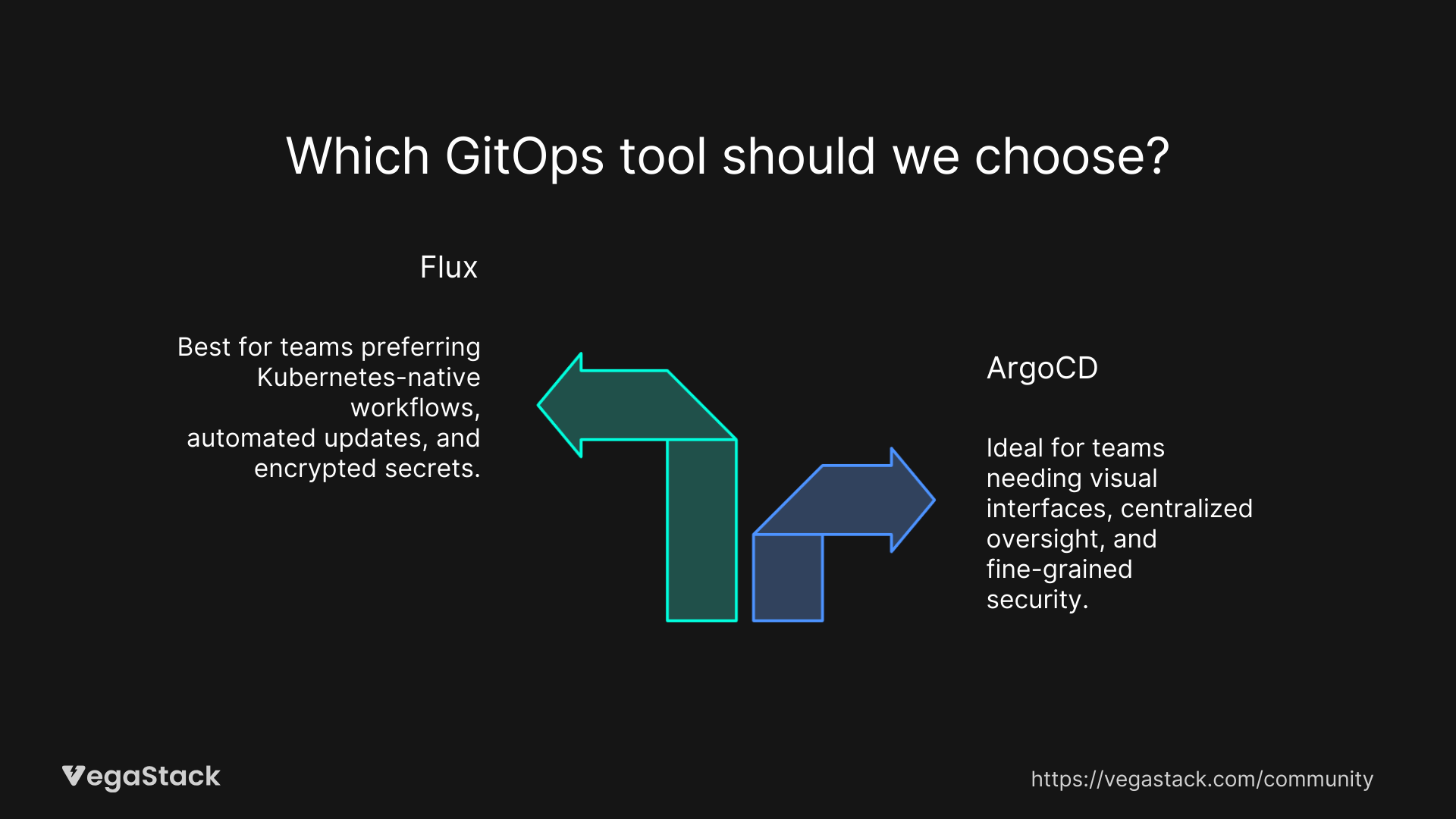
- ArgoCD: Enterprise environments, teams needing visual deployment tracking, centralized multi-cluster management
- Flux: Kubernetes-native workflows, automated pipelines, teams preferring infrastructure-as-code approaches
Pricing: Both are completely open-source with no licensing costs. Enterprise support comes through third-party vendors.
ArgoCD: Enterprise-Grade GitOps
ArgoCD emerged from Intuit's internal needs for managing complex microservices deployments. Released in 2018, it's become the go-to choice for enterprises wanting GitOps with visual management capabilities.
Core Capabilities and Architecture
ArgoCD runs as a single controller with an internal API server that maintains application metadata. This centralized approach gives you complete visibility into deployment health, sync status, and configuration drift.
The web UI is ArgoCD's killer feature. You can see exactly what's deployed, what's changed, and what's failing without touching the command line. We've watched teams reduce deployment debugging time by 60% just by having visual diff capabilities.
Multi-tenancy works through AppProjects, which let you isolate teams and applications with granular access controls. You can restrict which Git repositories, clusters, and namespaces each team can deploy to.
Security model includes custom RBAC that goes beyond Kubernetes native permissions. You can configure access through the UI, integrate with SSO providers, and create fine-grained policies for different user roles.
Strengths and Ideal Use Cases
ArgoCD excels when you need:
- Visual deployment management for teams that prefer GUI over CLI
- Centralized multi-cluster operations managing 10+ clusters from one interface
- Enterprise access controls with SSO integration and custom RBAC
- Application lifecycle visibility with built-in monitoring and alerting
We've seen ArgoCD handle 500+ applications across dozens of clusters without performance issues. The centralized architecture makes it easy to maintain consistent policies and track deployments across your entire infrastructure.
Limitations and Considerations
ArgoCD's monolithic architecture can become a bottleneck. If the ArgoCD server goes down, you lose visibility into all your deployments (though existing deployments keep running).
The custom RBAC model, while powerful, adds complexity. Teams familiar with Kubernetes native permissions need to learn ArgoCD's specific approach to access control.
Secret management requires external tools like helm-secrets or sealed-secrets. There's no native solution for encrypted secrets in Git repositories.
Pricing and Getting Started
ArgoCD is completely free under Apache 2.0 license. Enterprise support comes through commercial vendors or consulting partners, typically running $50,000-$100,000 annually for large deployments.
Installation takes about 30 minutes with the official Helm chart. The web UI is immediately available, making it easy to onboard team members who aren't comfortable with kubectl.
Flux: Kubernetes-Native GitOps
Flux started at Weaveworks and became a CNCF graduated project in 2022. Flux 2 is a complete rewrite focusing on modularity and Kubernetes-native patterns.
Core Capabilities and Architecture
Flux uses multiple specialized controllers: source-controller handles Git repositories, kustomize-controller manages Kustomize deployments, and helm-controller handles Helm charts. This modular approach lets you scale individual components based on your needs.
Everything in Flux is managed through Kubernetes custom resources. Want to deploy an application? Create a Kustomization CRD. Need to sync a Git repository? Create a GitRepository CRD. This approach feels natural if you're already thinking in Kubernetes primitives.
Multi-tenancy relies on Kubernetes namespaces and native RBAC. You can isolate teams using standard Kubernetes mechanisms without learning tool-specific concepts.
Security model integrates SOPS for encrypted secrets, letting you store sensitive data directly in Git repositories. The native Kubernetes RBAC integration means you can use existing access control policies.
Strengths and Ideal Use Cases
Flux shines when you need:
- Pure Kubernetes-native workflows that feel like native Kubernetes resources
- Automated image updates with built-in container registry scanning
- Modular architecture that scales individual components independently
- Native secret encryption with SOPS integration
We've deployed Flux in environments where teams wanted GitOps without adding UI complexity. The CLI-first approach works well for automation and CI/CD pipeline integration.
Limitations and Considerations
No native UI means you'll need external dashboards or CLI expertise. Teams expecting visual deployment management need to integrate with tools like Grafana or build custom dashboards.
Multi-cluster management requires installing Flux on each cluster. You can't manage multiple clusters from a single interface like ArgoCD.
The modular architecture, while flexible, adds operational complexity. You're managing multiple controllers instead of a single application.
Pricing and Getting Started
Flux is completely open-source with no commercial licensing. Community support is strong, and commercial support is available through various vendors at similar price points to ArgoCD.
Installation requires more Kubernetes knowledge than ArgoCD. The flux CLI makes it straightforward, but you'll need to understand CRDs and controller concepts to use it effectively.
Head-to-Head Feature Comparison
| Feature | ArgoCD | Flux |
|---|---|---|
| Web UI | Full-featured with visual diffs and deployment tracking | None, uses CLI and external dashboards |
| Multi-cluster Support | Centralized management through a single UI | Distributed, one installation per cluster |
| Helm Integration | Built-in rendering or plugin-based | Native helm-controller with full Helm 3 support |
| Secret Management | External tools like helm-secrets or sealed-secrets | Built-in SOPS support for encrypted secrets |
| Access Control | Custom RBAC with SSO options | Kubernetes native RBAC |
| Image Updates | Manual or webhook-driven | Automated scanning and updates |
| Extensibility | Config management plugins | Additional controllers through the GitOps Toolkit |
| Performance | Single controller handles operations | Distributed controllers that scale independently |
| Monitoring | Built-in metrics and health checks | Prometheus metrics with external dashboards |
Learning Curve: ArgoCD's UI reduces onboarding time by weeks. New team members can understand deployments visually without deep Kubernetes knowledge. Flux requires stronger Kubernetes fundamentals but integrates more naturally with existing kubectl workflows.
Integration Capabilities: Both tools integrate well with existing CI/CD pipelines. ArgoCD's API makes it easy to trigger syncs from external systems. Flux's CRD-based approach lets you manage deployments through standard Kubernetes tooling.
Use Case Scenarios: When to Choose What
Choose ArgoCD when:
- Your team includes developers who prefer visual interfaces over CLI tools
- You're managing 5+ Kubernetes clusters and need centralized oversight
- Enterprise security requirements demand fine-grained access controls and SSO
- You need to demonstrate deployment status to stakeholders who aren't technical
Choose Flux when:
- Your team is comfortable with Kubernetes-native workflows and CLI tools
- You want automated image updates without manual intervention
- Your security model requires encrypted secrets stored in Git repositories
- You prefer modular architectures that scale individual components
Team Size Considerations: ArgoCD works well for teams of 3-50 engineers where visual coordination helps. Flux suits teams of 1-20 engineers who prefer automation over manual oversight.
Budget Considerations: Both tools are free, but ArgoCD typically requires more operational overhead for the UI components. Flux's distributed architecture can reduce infrastructure costs in multi-cluster scenarios.
Migration and Implementation
Switching from ArgoCD to Flux involves recreating Application resources as Flux CRDs. The biggest challenge is losing visual deployment tracking, teams need alternative monitoring solutions.
Switching from Flux to ArgoCD requires consolidating distributed Flux installations into centralized ArgoCD management. Secret management approaches may need updating since ArgoCD doesn't have native SOPS support.
Implementation Complexity: ArgoCD takes 1-2 weeks to fully implement with proper RBAC and multi-cluster setup. Flux implementation spans 2-4 weeks due to the need for external monitoring and dashboard configuration.
Timeline Expectations: Plan 30-60 days for team training regardless of tool choice. ArgoCD requires learning the UI and custom RBAC. Flux requires deeper Kubernetes CRD understanding.
Decision Framework
Ask yourself these key questions:
- Does your team prefer visual interfaces or CLI workflows? ArgoCD if visual, Flux if CLI-native.
- Are you managing multiple clusters centrally or per-cluster? ArgoCD for centralized, Flux for distributed.
- Do you need encrypted secrets in Git repositories? Flux has native SOPS support, ArgoCD needs external tools.
- Is your team already Kubernetes-native? Flux integrates more naturally with existing Kubernetes workflows.
- Do you need to demonstrate deployment status to non-technical stakeholders? ArgoCD's UI makes this much easier.
Evaluation Approach: Run both tools in parallel for 30 days. Deploy the same applications through both systems and measure team productivity, debugging time, and operational overhead.
Trial Recommendations: Start with ArgoCD if you need quick wins and visual management. Choose Flux if you want to build Kubernetes-native GitOps expertise from the ground up.
The Bottom Line
ArgoCD and Flux represent two philosophies of GitOps implementation. ArgoCD prioritizes user experience and centralized management, it's the enterprise choice for teams that need visual control and multi-cluster coordination. Flux embraces Kubernetes-native patterns and modular architecture, it's the technical choice for teams that want deep integration with existing Kubernetes workflows.
We've seen successful deployments with both tools. The key is matching tool capabilities to team preferences and operational requirements. ArgoCD works when you need immediate visual feedback and centralized management. Flux works when you want automated, infrastructure-as-code approaches with native Kubernetes integration.
The reality is that both tools are mature, production-ready solutions. Your choice depends more on team culture and workflow preferences than technical limitations. Try both, measure team productivity, and pick the one that feels right for your specific environment.