CircleCI vs. Travis CI: The Definitive Comparison
The CI/CD platform you choose directly impacts your development velocity and deployment reliability. This detailed analysis breaks down CircleCI and Travis CI across key metrics including build performance, cost efficiency, configuration complexity, and team collaboration features.
Choosing between CircleCI and Travis CI can make or break your development workflow. We've seen teams waste months on the wrong CI/CD platform, only to migrate later when builds start failing or costs spiral out of control.
Both platforms dominate the cloud-first CI/CD space, but they serve different needs. CircleCI targets teams that need advanced caching and parallel testing, while Travis CI appeals to open-source projects and cost-conscious startups. The reality is that your choice depends on your team size, budget, and technical requirements.
In this comprehensive CircleCI vs. Travis CI comparison, we'll break down pricing transparency, performance benchmarks, and real-world developer experience differences. We've analyzed both platforms across cloud support, scalability, and integration capabilities to help you make an informed decision.
Quick Comparison Overview
| Factor | CircleCI | Travis CI |
|---|---|---|
| Best For | Enterprise teams, complex workflows | Open-source projects, startups |
| Starting Price | $15/month (Performance) | $15/month (Usage Based) |
| Free Tier | Limited jobs and build minutes | 20 concurrent jobs(upon sign-up) |
| Platform Support | Linux containers, private cloud | Linux, macOS, Windows |
| Key Strength | Advanced caching, parallel testing | Simplicity, multi-platform support |
| Target Audience | SMBs to enterprise | Startups, open-source developers |
Primary Use Cases
- CircleCI: Large-scale deployments requiring advanced features and scalability
- Travis CI: Cost-effective solution for smaller teams or open-source projects
Target Audiences
- CircleCI: Startups, SMBs, and enterprises looking for cloud-native CI/CD
- Travis CI: Open-source projects, startups, and small to medium-sized businesses
Getting to Know CircleCI
CircleCI positions itself as a scalable CI/CD solution built for cloud-first environments. Founded in 2011 and headquartered in San Francisco, the platform has received significant funding to expand its enterprise offerings.
Key Features and Capabilities
CircleCI's standout features center around performance optimization and developer productivity. The platform offers advanced caching mechanisms that significantly reduce build times, especially for projects with large dependency trees.
Core Capabilities:
- Advanced caching and parallel testing
- Seamless GitHub Enterprise integration
- Docker image support with SSH access
- CircleCI Orbs for simplified setup
- Extensive cloud provider integrations (AWS, Azure, GCP)
The parallel testing capabilities are where CircleCI really shines. We've seen teams reduce build times from 45 minutes to 8 minutes by properly configuring parallel workflows. The caching system is equally impressive, storing dependencies between builds to avoid redundant downloads.
Strengths and Ideal Use Cases
CircleCI excels in scenarios requiring complex workflow orchestration. The platform handles multiple environments, sophisticated deployment pipelines, and resource-intensive testing suites with ease.
Ideal for:
- Teams running complex test suites requiring parallel execution
- Organizations with multiple microservices needing coordinated deployments
- Companies requiring tight GitHub Enterprise integration
- Projects with large dependency trees benefiting from advanced caching
Limitations and Considerations
The main drawback is complexity. CircleCI's extensive feature set can overwhelm smaller teams who just need basic CI/CD functionality. Performance can degrade without sufficient container resources, and the learning curve is steeper than simpler alternatives.
Resource management requires careful planning. We've seen teams hit unexpected bottlenecks when they don't properly configure parallel jobs or underestimate their container requirements.
Getting Started
CircleCI's setup process leverages GitHub authentication, making initial configuration straightforward. The platform provides excellent documentation and a large community for support. However, optimizing for performance requires understanding their specific configuration patterns and best practices.
Getting to Know Travis CI
Travis CI has been a staple in the CI/CD space since 2011, particularly known for its strong open-source community support. The platform positions itself as a cost-effective solution with straightforward setup processes.
Key Features and Capabilities
Travis CI focuses on simplicity and broad platform support. The YAML-based configuration system is intuitive, and the platform offers native support for multiple operating systems.
Core Capabilities:
- YAML-based configuration
- Native macOS and Windows support
- Strong GitHub integration
- Free unlimited builds for open-source projects
- Good integration with AWS and Heroku
The multi-platform support is a significant advantage. Unlike CircleCI's Linux-focused approach, Travis CI natively supports macOS and Windows environments, making it ideal for cross-platform projects.
Strengths and Ideal Use Cases
Travis CI's simplicity is its greatest strength. The platform gets out of your way and lets you focus on code rather than CI/CD configuration complexity.
Ideal for:
- Open-source projects needing free, unlimited builds
- Teams requiring native macOS or Windows build environments
- Startups prioritizing cost-effectiveness over advanced features
- Projects with straightforward CI/CD requirements
Limitations and Considerations
Travis CI's simplicity comes with trade-offs. The platform lacks the advanced caching and parallel testing capabilities that make CircleCI powerful for complex workflows. Performance can be less efficient for sophisticated build processes.
The feature set is more limited compared to CircleCI. While this reduces complexity, it also means fewer optimization options for teams with demanding requirements.
Getting Started
Travis CI's setup process is exceptionally simple. GitHub authentication handles most of the initial configuration, and the YAML-based approach is easy to understand and modify. The learning curve is minimal, making it accessible for teams new to CI/CD.
Head-to-Head Feature Comparison
| Feature | CircleCI | Travis CI |
|---|---|---|
| Cloud Support | Cloud-native, Linux containers | Cloud-based, multi-platform |
| Parallel Testing | Advanced parallel capabilities | Basic parallel testing |
| Caching | Advanced caching mechanisms | Standard caching |
| Platform Support | Linux, private cloud options | Linux, macOS, Windows |
| Integration Ecosystem | Extensive orbs, cloud providers | GitHub, AWS, Heroku focus |
| Configuration | YAML + advanced options | Simple YAML |
| Documentation | Comprehensive, detailed | Good but less extensive |
| Performance | Optimized for complex workflows | Good for standard workflows |
| Scalability | Highly scalable | Moderate scalability |
| Security | Advanced access controls | Standard security features |
Performance Benchmarks:
- CircleCI: Faster build times with proper parallel configuration
- Travis CI: Consistent performance but less optimization potential
Ease of Use:
- CircleCI: Moderate learning curve, powerful once mastered
- Travis CI: Easy to learn, quick to implement
Integration Quality:
- CircleCI: Deeper integrations with extensive customization
- Travis CI: Solid integrations with focus on simplicity
Use Case Scenarios
When to Choose CircleCI
Large-Scale Enterprise Deployments: If you're managing multiple microservices with complex dependencies, CircleCI's advanced caching and parallel testing capabilities become essential. We've seen enterprise teams reduce deployment times from hours to minutes using CircleCI's orchestration features.
Performance-Critical Applications: Teams running extensive test suites benefit significantly from CircleCI's parallel execution. A typical scenario involves running 500+ tests across multiple environments simultaneously, something that would take much longer on simpler platforms.
Advanced DevOps Requirements: Organizations needing sophisticated deployment pipelines, custom integrations, and detailed build optimization should choose CircleCI. The platform's flexibility supports complex workflows that simpler tools can't handle.
When to Choose Travis CI
Open-Source Projects: The free unlimited builds for open-source projects make Travis CI unbeatable for community-driven development. Maintainers can support multiple contributors without worrying about CI/CD costs.
Cross-Platform Development: If you're building applications for macOS, Windows, and Linux, Travis CI's native multi-platform support eliminates the complexity of managing different build environments.
Cost-Conscious Startups: Early-stage companies with straightforward CI/CD needs can save significant money with Travis CI's transparent pricing and lower entry costs.
Simple Deployment Workflows: Teams that prioritize simplicity over advanced features will find Travis CI's straightforward approach more productive than CircleCI's feature-rich complexity.
Migration and Implementation
Switching from CircleCI to Travis CI
Migration Considerations:
- Simplify complex parallel workflows to fit Travis CI's capabilities
- Reconfigure caching strategies using Travis CI's standard mechanisms
- Adapt orb-based integrations to Travis CI's native options
- Budget for potential performance changes in build times
Implementation Complexity: Low to moderate, depending on workflow complexity
Switching from Travis CI to CircleCI
Migration Considerations:
- Restructure YAML configurations to leverage CircleCI's advanced features
- Implement parallel testing strategies for improved performance
- Configure advanced caching for dependency optimization
- Plan for increased complexity in exchange for better performance
Implementation Complexity: Moderate to high, with potential for significant performance improvements
Timeline Expectations:
- Travis CI implementation: 1-2 weeks for most teams
- CircleCI implementation: 2-4 weeks, depending on optimization requirements
Decision Framework
Key Questions to Ask
Budget Considerations:
- What's your monthly CI/CD budget?
- Do you need free open-source builds?
- Can you handle usage-based pricing complexity?
Technical Requirements:
- Do you need multi-platform build support?
- How important are parallel testing capabilities?
- Are advanced caching mechanisms critical for your workflows?
Team Factors:
- What's your team's DevOps experience level?
- Do you prefer simplicity or advanced features?
- How much time can you invest in CI/CD optimization?
Evaluation Criteria
Performance Priorities:
- Build speed requirements
- Parallel execution needs
- Caching importance
Cost Sensitivity:
- Budget constraints
- Open-source requirements
- Pricing model preference
Complexity Tolerance:
- Team expertise level
- Feature requirements
- Maintenance capacity
Trial Recommendations
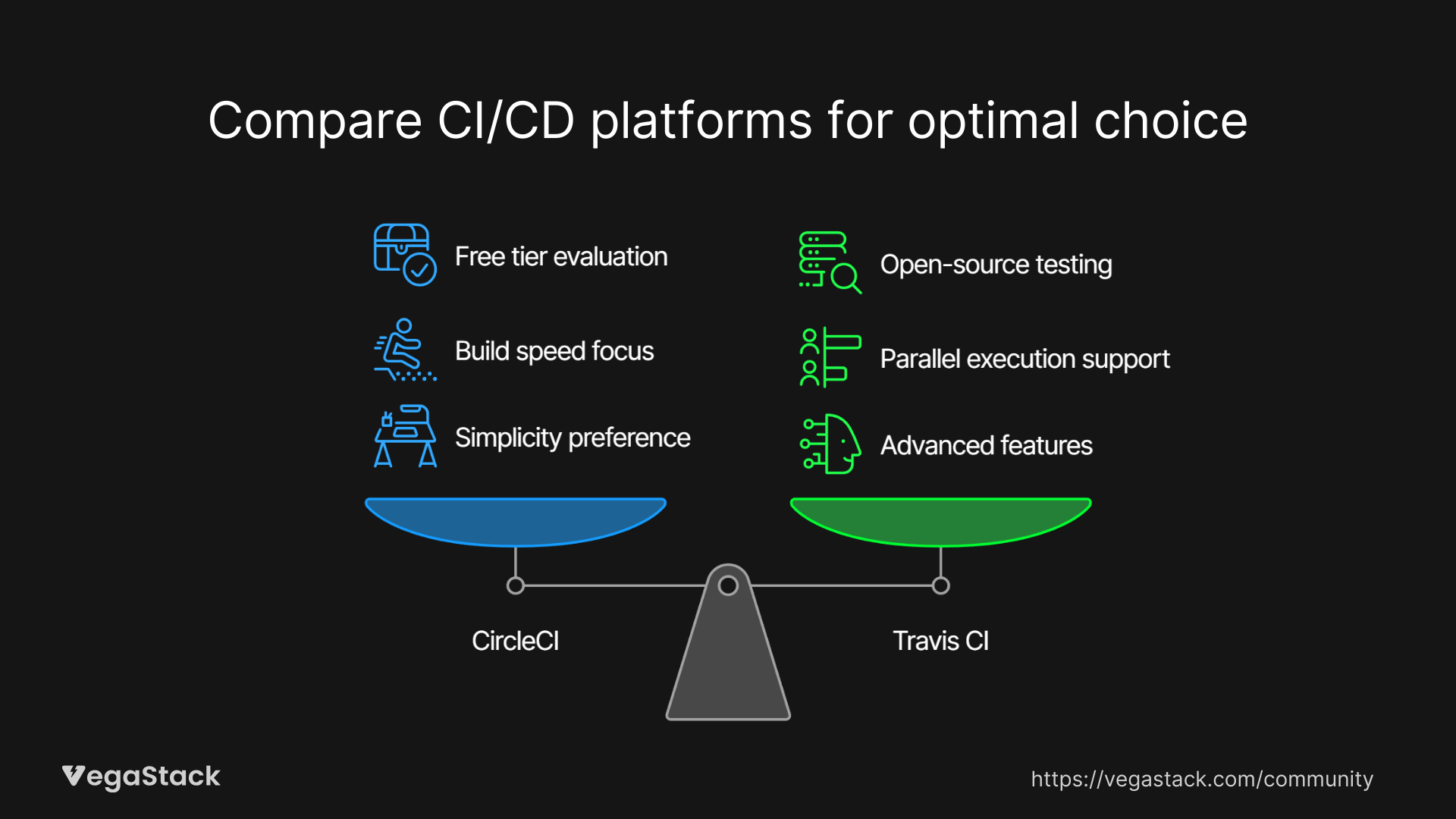
Test both platforms with your actual codebase before deciding. CircleCI's free tier provides enough resources to evaluate performance, while Travis CI's open-source offering lets you test extensively if your project qualifies.
Bottom Line: CircleCI vs Travis CI
CircleCI wins for teams needing advanced performance optimization and complex workflow orchestration. The platform's caching and parallel testing capabilities can dramatically reduce build times, but you'll pay for that power with increased complexity and higher costs.
Travis CI excels for open-source projects, cross-platform development, and teams prioritizing simplicity. The transparent pricing and straightforward setup make it ideal for startups and smaller teams who don't need enterprise-grade features.
Choose CircleCI if:
- You need advanced caching and parallel testing
- Your team can handle configuration complexity
- Performance optimization is critical
- Budget allows for usage-based pricing
Choose Travis CI if:
- You're working on open-source projects
- Cross-platform support is essential
- You prefer simplicity over advanced features
- Cost-effectiveness is a priority
The decision ultimately depends on your specific requirements, team expertise, and budget constraints. Both platforms excel in their respective niches, so align your choice with your actual needs rather than trying to future-proof for requirements you might never have.