Helm vs. Kustomize: Complete Kubernetes Application Management Comparison
Choose between Helm and Kustomize for Kubernetes application management. This complete comparison covers features, templating approaches, deployment strategies, and real use cases. Learn which tool works best for your setup and get practical guidance for managing Kubernetes applications effectively.
Introduction
Choosing between Helm and Kustomize for Kubernetes application management feels like picking between two completely different philosophies. One uses templating to package everything neatly, while the other patches your existing YAML with surgical precision. We've worked with both tools extensively across dozens of deployments, and the choice isn't always obvious.
The reality is that most teams struggle with this decision because they're fundamentally different approaches to the same problem. Helm treats your applications like packages that need lifecycle management. Kustomize treats them like configurations that need environment-specific tweaks. Both work brilliantly for their intended use cases, but picking the wrong one can create months of technical debt.
Here's what we'll compare: complexity levels, templating approaches, operational overhead, and real-world performance. We'll also break down specific scenarios where each tool shines and where they fall short. By the end, you'll know exactly which tool fits your team's workflow and technical requirements.
Quick Comparison Overview
Here's the high-level breakdown of how these tools stack up:
| Aspect | Helm | Kustomize |
|---|---|---|
| Primary Purpose | Package management and releases | Configuration customization |
| Templating Approach | Go templates with dynamic values | Overlay patches on base manifests |
| Learning Curve | Medium to High | Low to Medium |
| Operational Overhead | Built-in release management | Requires external state tracking |
| Best For | Third-party apps, complex deployments | Internal apps, GitOps workflows |
| Ecosystem | Massive chart repository | Native kubectl integration |
| Pricing | Free, open source | Free, open source |
| Release Management | Yes, with rollback support | No, external tools required |
Target Audiences:
- Helm: Teams managing multiple complex applications needing lifecycle management, enterprises deploying third-party software
- Kustomize: Kubernetes-native teams preferring declarative approaches, organizations with strong GitOps practices
Helm: Overview
Helm positions itself as the "package manager for Kubernetes" and that's exactly what it delivers. Think of it like apt or yum, but for containerized applications. The CNCF graduated this project in 2020, and it's become the de facto standard for distributing Kubernetes applications.
Key Features and Capabilities
Helm's templating engine uses Go templates to create dynamic, reusable configurations. You define a chart once, then customize it with values files for different environments. The templating syntax lets you inject variables, use conditionals, and create loops, basically turning your Kubernetes YAML into programmable configurations.
The release management features set Helm apart from simpler tools. Every deployment becomes a tracked release with version history. You can rollback to previous versions with a single command, upgrade applications incrementally, and use pre/post-deployment hooks for complex lifecycle events.
Chart dependencies work like package managers in other ecosystems. Your application can depend on databases, monitoring tools, or other services, and Helm resolves these dependencies automatically. The public chart repositories contain thousands of pre-built charts for popular applications.
Strengths and Ideal Use Cases
Helm excels when you're managing complex, multi-component applications. We've seen teams deploy entire microservices architectures with dozens of services using a single umbrella chart. The templating power means you can standardize configurations across environments while maintaining flexibility.
Third-party application deployment is where Helm really shines. Need to deploy PostgreSQL, Redis, or Prometheus? There's probably a well-maintained chart that handles all the complexity. No need to write YAML from scratch or figure out all the configuration options.
The ecosystem advantage is massive. Helm Hub and Artifact Hub host thousands of charts. Most vendors distribute their Kubernetes applications as Helm charts. This means faster deployment cycles and less maintenance overhead for your team.
Limitations and Considerations
The templating syntax creates a learning curve that can be steep. Go templates aren't intuitive for everyone, and debugging template issues can be frustrating. Complex charts become hard to read and maintain, especially when they use advanced templating features.
Chart versioning and dependency management add complexity. You need to understand semantic versioning, chart dependencies, and how updates propagate through your stack. This overhead might be unnecessary for simple applications.
Security considerations around chart repositories and signed charts require additional setup. You can't just grab any chart from the internet without vetting it first.
Pricing Structure
Helm is completely free and open source. No licensing fees, no usage limits, no premium features locked behind paywalls. The only costs come from your time learning the tool and maintaining your charts.
Professional support is available through third-party vendors and cloud providers, but the community support is generally excellent for most use cases.
Kustomize: Overview
Kustomize takes a radically different approach: no templating, no packaging, just pure YAML manipulation. Google developed it and merged it into kubectl in version 1.14, making it a native Kubernetes tool. The philosophy is simple, start with base manifests, then apply patches for different environments.
Key Features and Capabilities
The overlay system is Kustomize's core strength. You define base Kubernetes manifests, then create overlays that patch these bases for different environments. Strategic merge patches and JSON patches let you modify any part of your configurations without touching the original files.
Kustomize uses a purely declarative approach. Everything is defined in YAML files, no templating language to learn. The kustomization.yaml file describes what resources to include and what patches to apply. This makes configurations easy to read and audit.
Native kubectl integration means you don't need separate tools. kubectl processes Kustomize configurations directly. This reduces the toolchain complexity and makes adoption smoother for teams already comfortable with kubectl.
Strengths and Ideal Use Cases
Environment-specific customizations are Kustomize's sweet spot. You can have a base application definition, then create overlays for development, staging, and production that modify specific values. Changes are explicit and traceable.
GitOps workflows integrate naturally with Kustomize. Your configurations are just YAML files in git repositories. Tools like ArgoCD and Flux can watch these repositories and apply changes automatically. No need for separate package registries or complex release processes.
The learning curve is gentler for teams already familiar with Kubernetes YAML. There's no new syntax to learn, just the overlay concepts. This makes onboarding faster and reduces the cognitive load for developers.
Limitations and Considerations
Kustomize has no built-in release management or rollback capabilities. You need external tools like ArgoCD, Flux, or custom scripts to track deployments and handle rollbacks. This adds operational complexity for teams expecting package manager functionality.
The lack of true templating limits dynamic configurations. While you can patch values, you can't use conditionals or loops like you can with Helm. Complex logic requires multiple overlay files or external preprocessing.
No packaging or distribution mechanism means sharing configurations between teams requires manual processes. There's no equivalent to Helm's chart repositories for discovering and sharing Kustomize configurations.
Pricing Structure
Kustomize is free and open source, included with kubectl. No additional licensing or costs beyond your operational overhead.
Head-to-Head Feature Comparison
Let's break down the specific differences across key areas:
| Feature | Helm | Kustomize |
|---|---|---|
| Configuration Management | Go templates with values injection | Overlay patches on base manifests |
| Environment Handling | Values files per environment | Overlay directories per environment |
| Release Tracking | Built-in versioning and history | External tools required |
| Rollback Support | Native rollback commands | Manual or external tool rollback |
| Dependency Management | Chart dependencies with version constraints | Manual resource ordering |
| Templating Logic | Conditionals, loops, functions | No templating, patch-based only |
| Learning Curve | Medium–High (Go templates) | Low–Medium (YAML patches) |
| Ecosystem Integration | Massive chart repositories | Native kubectl integration |
| GitOps Compatibility | Requires values management | Natural fit for GitOps workflows |
| Debugging Experience | Template debugging tools | Standard YAML validation |
| Distribution | Packaged charts |
Use Case Scenarios
Choose Helm when:
- You're deploying third-party applications regularly (databases, monitoring, logging)
- Your team needs robust release management with rollback capabilities
- You're managing complex multi-component applications with dependencies
- You want to package and distribute applications across multiple teams
- Your deployment process requires pre/post-deployment hooks
- You need dynamic configurations based on environment variables or conditions
Choose Kustomize when:
- You're managing custom applications with environment-specific configurations
- Your team follows GitOps practices with git-based configuration management
- You prefer declarative approaches without templating complexity
- You need fine-grained control over specific YAML properties
- Your applications have relatively simple deployment requirements
- You want to minimize external dependencies and use native Kubernetes tooling
Team size considerations:
- Small teams (2-5 developers): Kustomize's simplicity often wins
- Medium teams (5-20 developers): Depends on application complexity and third-party dependencies
- Large teams (20+ developers): Helm's packaging and distribution features become more valuable
Migration and Implementation
Migrating from Helm to Kustomize: The process involves extracting the rendered YAML from your Helm charts and restructuring them into base manifests with overlays. You'll lose release history and need to implement state tracking externally. Plan for 2-4 weeks depending on chart complexity.
Migrating from Kustomize to Helm: This requires creating chart templates from your base manifests and converting overlays into values files. The templating conversion can be complex if you have intricate patching logic. Expect 3-6 weeks for complete migration.
Implementation complexity:
- Helm: Moderate setup, requires understanding of templating and chart structure
- Kustomize: Simple setup, focuses on understanding overlay concepts
Timeline expectations:
- Helm adoption: 1-2 weeks for basic usage, 1-2 months for advanced features
- Kustomize adoption: 3-5 days for basic usage, 2-3 weeks for complex overlay strategies
Decision Framework
Ask yourself these key questions:
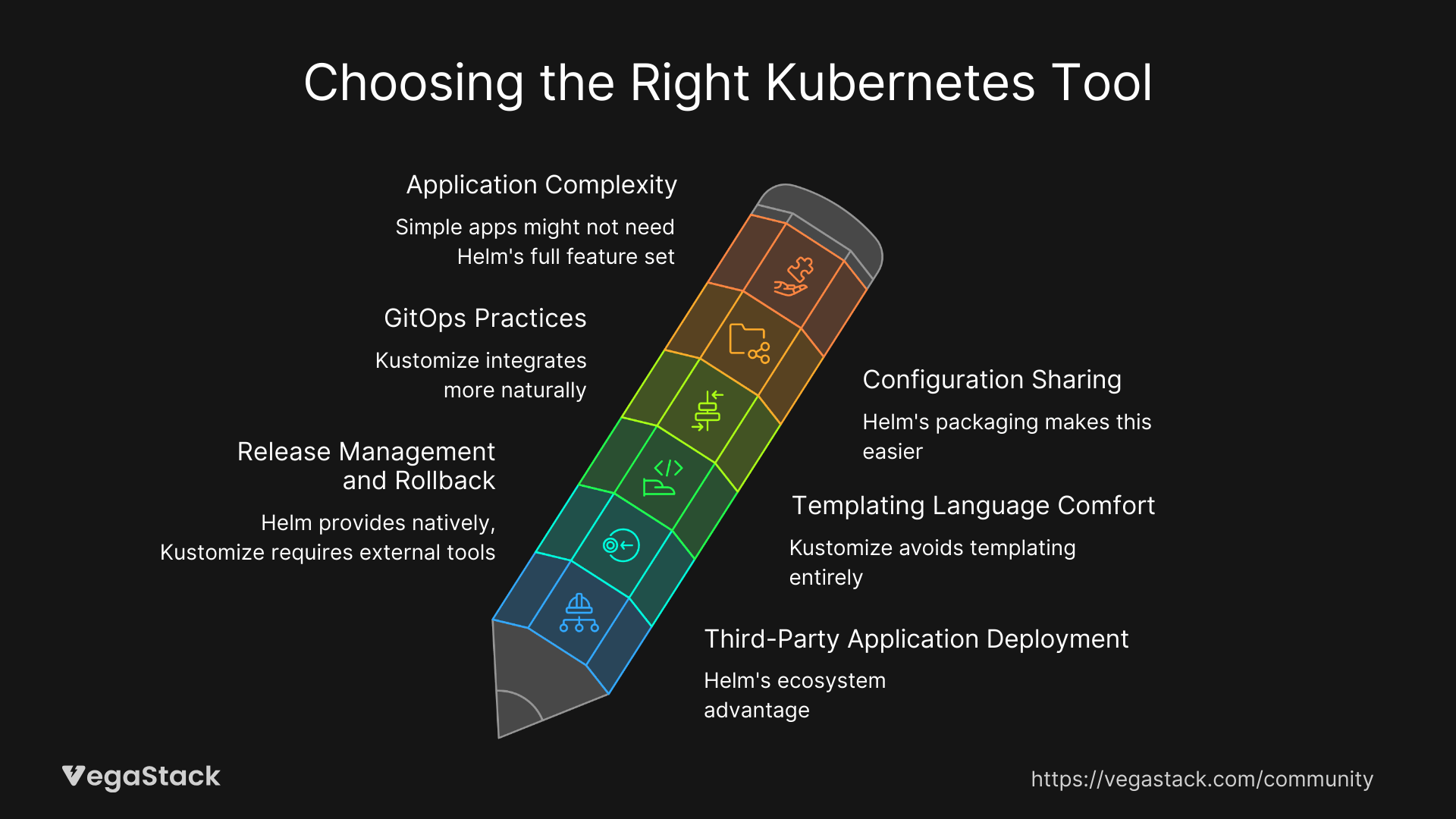
- Do you deploy third-party applications regularly? If yes, Helm's ecosystem advantage is significant.
- How important is release management and rollback capability? Helm provides this natively, Kustomize requires external tools.
- What's your team's comfort level with templating languages? Kustomize avoids templating entirely.
- Are you following GitOps practices? Kustomize integrates more naturally with git-based workflows.
- Do you need to share configurations across teams? Helm's packaging makes this easier.
- How complex are your applications? Simple apps might not need Helm's full feature set.
Evaluation approach: Start with a pilot project using your preferred tool. Deploy a representative application and measure the learning curve, operational overhead, and long-term maintenance requirements. Don't commit to organization-wide adoption until you've tested real-world scenarios.
Trial recommendations:
- Helm: Try deploying a complex third-party application like PostgreSQL or Prometheus
- Kustomize: Try managing a custom application across development, staging, and production environments
Conclusion & Recommendations
The choice between Helm and Kustomize depends on your specific needs and constraints. Helm provides comprehensive package management with powerful templating and lifecycle features. Kustomize offers simplicity and native integration with a declarative approach.
Our recommendations:
- Go with Helm if you're managing multiple complex applications, need robust release management, or regularly deploy third-party software
- Choose Kustomize if you prefer simplicity, follow GitOps practices, or primarily manage custom applications with environment-specific configurations
- Consider using both, many teams use Helm for third-party deployments and Kustomize for custom application configuration management
The reality is that both tools solve the Kubernetes configuration management problem effectively. Your choice should align with your team's technical preferences, operational requirements, and long-term maintenance capabilities. Don't overthink it, pick the tool that feels more natural for your workflow and start building expertise.