How to Establish DevOps Performance Baselines for Legacy Systems
Transform your legacy systems with proven DevOps performance baselines. Learn how to measure current performance, establish meaningful benchmarks, and create improvement roadmaps for older applications. Get practical strategies for modernizing legacy infrastructure without disrupting operations.
Quick Solution
Establish performance baselines for legacy systems through a 3-phase approach: comprehensive system assessment to identify monitoring gaps, deployment of lightweight compatible monitoring tools, and 2-4 week data collection periods to create reliable baseline metrics. This process typically takes 3-6 weeks and requires minimal system disruption while providing essential performance visibility for optimization planning.
Introduction
You're staring at a critical legacy application that's been running your business for years, but you have no idea what "normal" performance looks like. Sound familiar?
This monitoring blind spot hits DevOps teams hard when they need to optimize systems, plan capacity, or troubleshoot performance issues. Without reliable performance baselines, you're essentially flying blind - unable to distinguish between normal system behavior and genuine problems.
The challenge gets worse with legacy systems because they weren't built with modern observability in mind. They lack instrumentation, use proprietary logging formats, and often can't support standard monitoring agents without stability risks.
Here's the reality: establishing performance baselines for legacy systems requires a completely different approach than modern applications. We'll walk through the proven methodology that works, including the specific tools and techniques that won't break your production systems.
Problem Context & Symptoms
When This Problem Hits
Performance baseline gaps typically surface during infrastructure modernization projects, cloud migrations, or when teams inherit legacy systems without documentation. You'll also encounter this when regulatory compliance requires performance tracking or SLA (Service Level Agreement) reporting for systems that have never been properly monitored.
Common Warning Signs
Primary symptoms include irregular or missing performance data, inconsistent system behavior reports, and difficulty pinpointing when performance degradation actually started. You might notice elevated error rates appearing at irregular intervals, unpredictable response times, or user complaints about slow system behavior that you can't quantify.
Secondary indicators show up as incomplete log files, sparse monitoring dashboards with gaps in data collection, and inability to correlate system events with performance impacts. Your monitoring tools might show irregular instances of data points instead of continuous metrics.
Impact on Operations
Without performance baselines, troubleshooting becomes guesswork. Teams waste hours investigating "performance issues" that might actually be normal system behavior. Resource allocation becomes inefficient because you can't identify actual bottlenecks versus perceived problems.
The operational consequences extend to SLA compliance risks, inability to plan capacity upgrades effectively, and reduced business agility when performance questions arise during critical decision-making periods.
Root Cause Analysis
Technical Foundations of the Problem
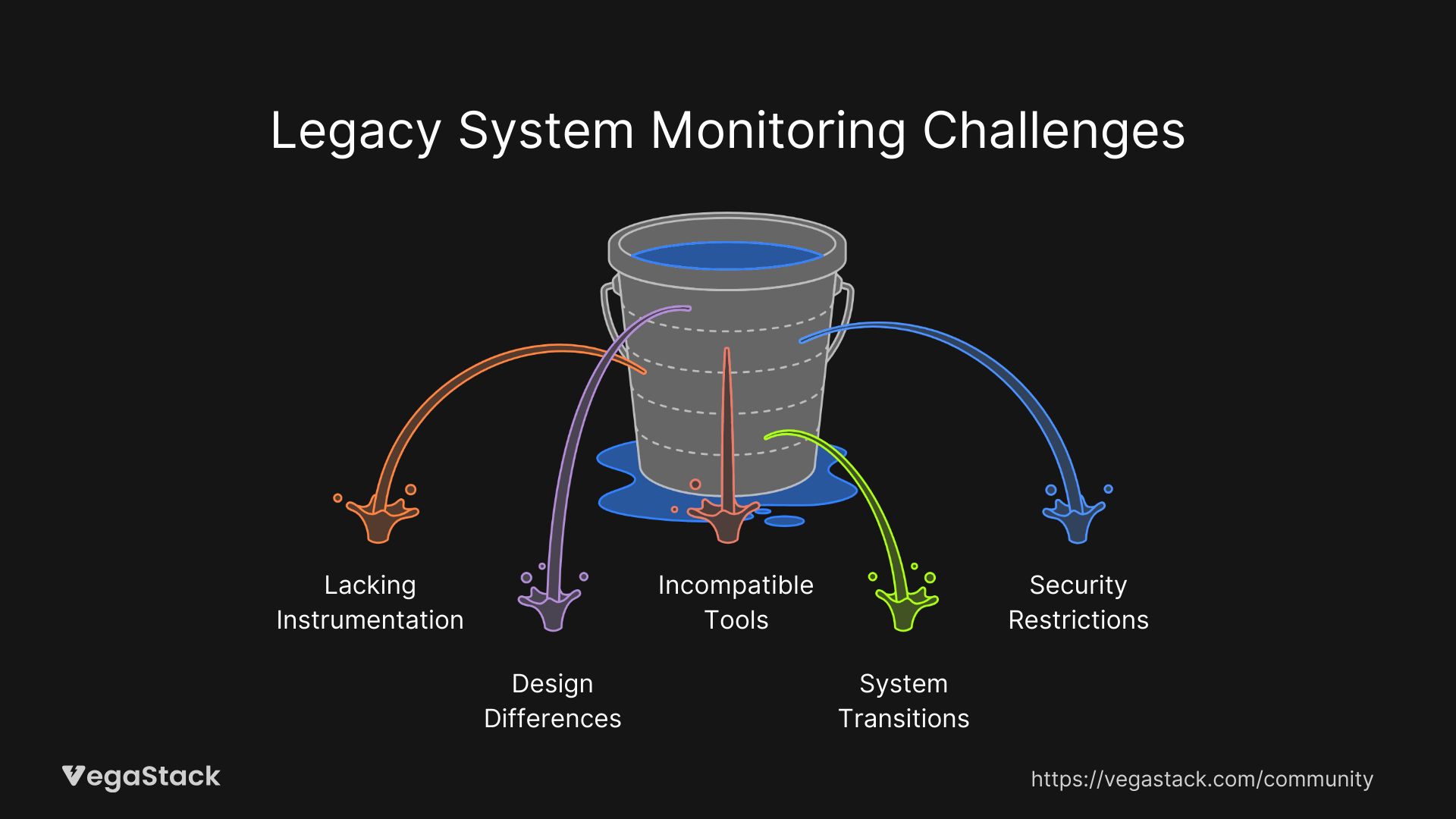
Legacy systems create monitoring challenges because they lack built-in instrumentation that modern applications take for granted. These systems often use proprietary logging formats incompatible with current monitoring platforms, or they run on architectures that don't expose standard metrics endpoints.
The real issue stems from fundamental design differences. Legacy applications were built as monoliths or batch-processing systems that don't support real-time metric gathering. They might use custom middleware, outdated operating systems, or proprietary protocols that modern monitoring agents simply can't interpret.
Why Standard Solutions Fail
Most teams make the mistake of assuming legacy systems can be monitored using the same tools and methods as modern applications. This leads to failed agent installations, incomplete data collection, or worse, system instability from monitoring tools that consume too many resources.
Standard APM solutions often require application-level integration or framework support that legacy systems don't provide. Even when monitoring agents successfully install, they might not capture the metrics that actually matter for baseline establishment.
Common Trigger Scenarios
The problem becomes critical during system transitions, moving to cloud infrastructure, implementing new user loads, or applying system updates without concurrent monitoring configuration updates. These changes expose the monitoring gaps that might have been manageable in stable legacy environments.
Security restrictions compound the issue. Legacy systems often run with tight permission controls that prevent monitoring agents from accessing necessary system data or network endpoints required for telemetry transmission.
Step-by-Step Solution
Prerequisites and Preparation
Before starting baseline establishment, secure administrative access to all legacy system components. This includes database servers, application servers, and any middleware layers that might impact performance.
Create comprehensive system backups and establish rollback procedures. Legacy systems can be fragile, and even lightweight monitoring changes need safety nets.
Prepare your monitoring toolkit focusing on lightweight agents compatible with older operating systems. Tools like SNMP monitors, WMI-based collectors, and log parsing utilities work better than modern APM agents for legacy environments.
Validate current system resource availability. Legacy systems often run close to capacity limits, so additional monitoring overhead needs careful consideration.
Phase 1: System Assessment and Documentation
Start by documenting every component in your legacy system stack. Map dependencies between services, databases, and external integrations. This documentation becomes critical for understanding which metrics actually matter for performance baselines.
Identify existing log files, system counters, and any current monitoring data sources. Legacy systems often generate more useful data than teams realize, it's just not being collected systematically.
Review historical performance data if available. Look through incident reports, user feedback, and any existing performance documentation to understand known performance patterns and pain points.
Phase 2: Monitoring Tool Deployment
Deploy monitoring solutions that respect legacy system constraints. Use external synthetic monitoring to measure user-facing performance when internal instrumentation isn't possible. Set up log aggregation for existing system logs rather than trying to generate new telemetry.
Configure lightweight agents that can collect basic system metrics: CPU utilization, memory usage, disk I/O, and network statistics. These fundamental metrics provide baseline data even when application-specific monitoring isn't feasible.
Implement database performance monitoring if your legacy system uses standard database platforms. Database metrics often provide the clearest picture of application performance trends.
Phase 3: Baseline Data Collection
Execute a defined monitoring period lasting 2-4 weeks to capture normal system behavior patterns. This timeframe accounts for weekly cycles, month-end processing, and other business rhythm variations that impact system performance.
Collect both quantitative metrics and qualitative data. Include user feedback, operational logs, and incident reports to provide context for the numerical performance data.
Monitor during various load conditions. Capture performance during peak business hours, overnight batch processing, and low-utilization periods to establish complete baseline ranges.
Phase 4: Baseline Analysis and Validation
Analyze collected data to establish quantitative baseline metrics. Calculate average response times, typical error rates, and normal resource utilization patterns. Focus on percentile-based metrics rather than simple averages to account for performance variations.
Validate baselines by comparing with business expectations and user experience reports. Performance metrics should align with operational reality and user satisfaction levels.
Create baseline documentation that includes normal operating ranges, expected performance variations, and correlation patterns between different system metrics.
Implementation Timeline
Plan for 3-6 weeks total implementation time depending on system complexity. Simple legacy applications might establish baselines faster, while complex multi-tier systems require longer observation periods.
Troubleshooting Common Issues
Agent Deployment Failures
When monitoring agents fail to install or collect data, check operating system compatibility first. Legacy systems might require older agent versions or alternative collection methods.
| Problem | Solution | Timeline |
|---|---|---|
| Agent installation fails | Use OS-specific lightweight collectors or external monitoring | 1-2 hours |
| Permission denied errors | Configure service accounts with minimal required permissions | 2-4 hours |
| Network connectivity issues | Validate firewall rules and monitoring traffic paths | 1-3 hours |
| Resource constraints | Switch to log-based monitoring or reduce collection frequency | 2-6 hours |
Data Quality Problems
Inconsistent or incomplete data collection usually stems from system resource limitations or configuration conflicts. Reduce monitoring frequency, focus on essential metrics, or implement scheduled collection during low-utilization periods.
When log parsing fails, legacy systems often use custom formats that require specific parsing rules. Invest time in understanding log structure rather than forcing standard parsing tools.
Integration Challenges
Modern monitoring platforms might not support legacy data formats directly. Use intermediate processing layers or data transformation tools to bridge compatibility gaps.
For systems with strict uptime requirements, implement monitoring changes during planned maintenance windows and validate system stability before full deployment.
Prevention Strategies
Monitoring Integration Standards
Establish monitoring requirements as part of change management processes. Any system updates, patches, or configuration changes should include monitoring impact assessment and baseline updates.
Create configuration standards that mandate baseline metric collection for all production systems, including legacy applications. This prevents future monitoring gaps as systems evolve.
Proactive Baseline Maintenance
Schedule regular baseline reviews and updates. System performance characteristics change over time due to data growth, user pattern changes, and infrastructure aging.
Implement automated anomaly detection where possible to flag deviations from established baselines. This enables proactive performance management rather than reactive troubleshooting.
Long-term Optimization Planning
Use baseline data to drive modernization planning. Performance trends help prioritize which legacy systems need attention first and guide resource allocation for infrastructure improvements.
Plan incremental monitoring improvements alongside system modernization efforts. As legacy systems get updated, integrate better monitoring capabilities without disrupting established baselines.
Related Issues & Extended Solutions
Capacity Planning Integration
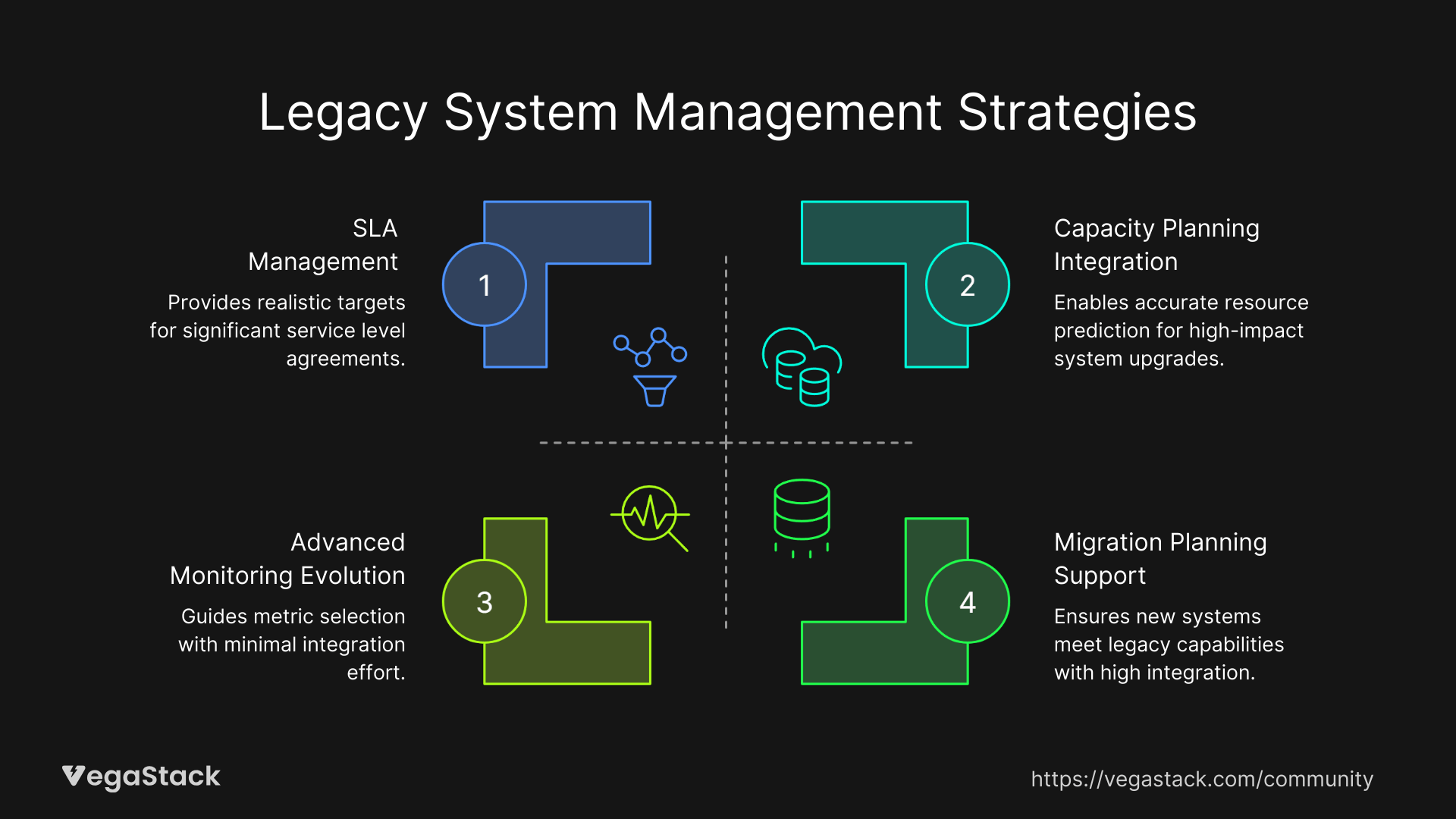
Performance baselines enable accurate capacity planning for legacy systems. Use trend analysis to predict when systems will hit resource limits and plan hardware upgrades or optimization projects accordingly.
SLA Management
Established baselines provide the foundation for realistic SLA definitions and compliance tracking. Historical performance data helps set achievable targets and identify improvement opportunities.
Migration Planning Support
When modernizing or replacing legacy systems, baselines provide critical data for sizing new infrastructure and validating migration success. Performance comparisons ensure new systems meet or exceed legacy system capabilities.
Advanced Monitoring Evolution
As legacy systems modernize, use baseline data to guide monitoring tool selection and configuration. Historical performance patterns inform which metrics matter most for ongoing system management.
Conclusion & Next Steps
Establishing performance baselines for legacy systems requires patience and specialized approaches, but the operational benefits make the effort worthwhile. You'll gain visibility into system behavior, enable proactive performance management, and create the foundation for systematic optimization planning.
Start with system assessment and lightweight monitoring deployment within the next week. Focus on collecting basic performance data first, then expand monitoring coverage as you gain confidence in system stability.
Monitor your newly established baselines continuously and update them as systems evolve. The baseline establishment process creates ongoing value through improved troubleshooting capabilities, better capacity planning, and data-driven optimization decisions.
Remember that baseline establishment is an investment in operational excellence. The 3-6 week implementation effort pays dividends through reduced troubleshooting time, improved system reliability, and more effective resource allocation for years to come.