How to Fix Encryption Performance Issues in DevOps
Learn proven ways to fix encryption performance problems in your DevOps pipelines. This guide shows you practical solutions to speed up secure deployments, reduce build times, and maintain strong security without slowing down your team. Get real fixes that work in production environments.
Direct Answer
Enable hardware acceleration (AES-NI), upgrade to NVMe SSDs, and implement column-level encryption instead of full-disk encryption. This combination reduces CPU overhead by 50% and restores storage performance to within 5-10% of unencrypted baseline speeds. Most teams see complete resolution within 2-3 days of implementation.
Introduction
Your database just slowed to a crawl after enabling encryption at rest. Query times doubled, backups take forever, and your monitoring dashboards are screaming about CPU saturation. Sound familiar?
This exact scenario hits DevOps teams daily when compliance requirements force encryption implementation without proper performance planning. The reality is that encryption overhead can easily add 15-30% CPU usage and 5-20% storage latency to your systems.
Here's the thing: you don't have to choose between security and performance. We've helped dozens of teams solve this exact problem, and the solutions are proven. This guide walks you through the complete troubleshooting process, from identifying root causes to implementing hardware acceleration and optimization strategies that actually work.
Problem Context & Symptoms
When This Problem Typically Occurs
Encryption performance issues surface most often during compliance-driven rollouts. You'll see this when implementing HIPAA, GDPR, or CCPA requirements, especially in healthcare SaaS, financial services, or any system handling sensitive data.
The problem amplifies during high-transaction periods. Database-heavy applications, large file storage systems, and analytics workloads feel the impact immediately. Teams often discover the issue after production deployment when real user traffic hits encrypted storage.
Common Symptoms and Error Messages
Your first warning signs show up in monitoring dashboards. CPU utilization spikes 15-30% higher than baseline. Disk I/O bottlenecks appear where none existed before. Application response times increase noticeably, sometimes doubling for database queries.
You'll see specific indicators in your logs: disk queue length spikes, encryption/decryption process warnings, and storage latency alerts. Network latency between storage and application tiers can jump 50-100ms. Users report slower application performance, especially on data-heavy operations.
Why This Happens
The root issue is computational overhead. Cryptographic algorithms like AES-256 require CPU cycles for every read and write operation. When you multiply this across thousands of database transactions or large file operations, the impact compounds quickly.
Most systems lack hardware acceleration for encryption operations. Without AES-NI support or dedicated encryption hardware, everything runs through software emulation. This creates a CPU bottleneck that cascades through your entire storage stack.
Root Cause Analysis
Technical Explanation of Underlying Issues
Encryption at rest introduces three primary performance bottlenecks. First, CPU overhead from cryptographic operations. Every data block requires encryption during writes and decryption during reads. Software-based encryption can consume 10-20% additional CPU per operation.
Second, storage latency increases. The encryption process adds processing time between your application and storage media. Even fast NVMe drives show measurable slowdowns when handling encrypted data through software-only implementations.
Third, memory pressure intensifies. Encryption algorithms require additional buffer space for cryptographic operations. Systems with limited RAM see increased swap usage, further degrading performance.
Common Scenarios That Trigger the Problem
Large-scale data migrations trigger immediate performance issues. When teams migrate terabytes of data to encrypted storage, the conversion process overwhelms available CPU resources. Batch processing jobs and analytics workloads amplify the problem during peak usage periods.
Infrastructure changes often expose encryption overhead. Scaling up data ingestion rates, adding new databases, or increasing user traffic loads reveal performance limitations that weren't apparent during initial testing.
Environmental Factors and Dependencies
Legacy hardware without AES-NI support struggles with encryption workloads. Older Intel processors and some AMD chips lack hardware acceleration, forcing software emulation for all cryptographic operations.
Network configurations matter too. High-latency connections between application and storage tiers compound encryption delays. Multi-tenant environments face additional complexity when multiple encrypted workloads compete for shared resources.
Why Standard Approaches Often Fail
Teams typically try throwing more resources at the problem. Adding CPU cores or increasing memory helps, but doesn't address the fundamental hardware acceleration gap. Without AES-NI or dedicated encryption hardware, software emulation remains the bottleneck.
Configuration mistakes compound the issue. Full-disk encryption for databases that only need selective field encryption creates unnecessary overhead. Poor key management systems introduce additional latency for every cryptographic operation.
Step-by-Step Solution
Prerequisites and Preparation Steps
Before making changes, verify your hardware supports AES-NI instruction sets. Run the CPU identification command for your operating system to confirm hardware acceleration availability. Most Intel processors from 2010+ and AMD processors from 2012+ include AES-NI support.
Back up your entire system and data before implementing changes. Performance tuning involves configuration modifications that could impact system stability. Document your current performance baseline using benchmarking tools like fio for storage and sysbench for database operations.
Ensure you have administrative access to make hardware configuration changes. Cloud environments may require specific instance types or enhanced networking features. Gather your current monitoring metrics for CPU, disk, and network performance.
Detailed Implementation Procedure
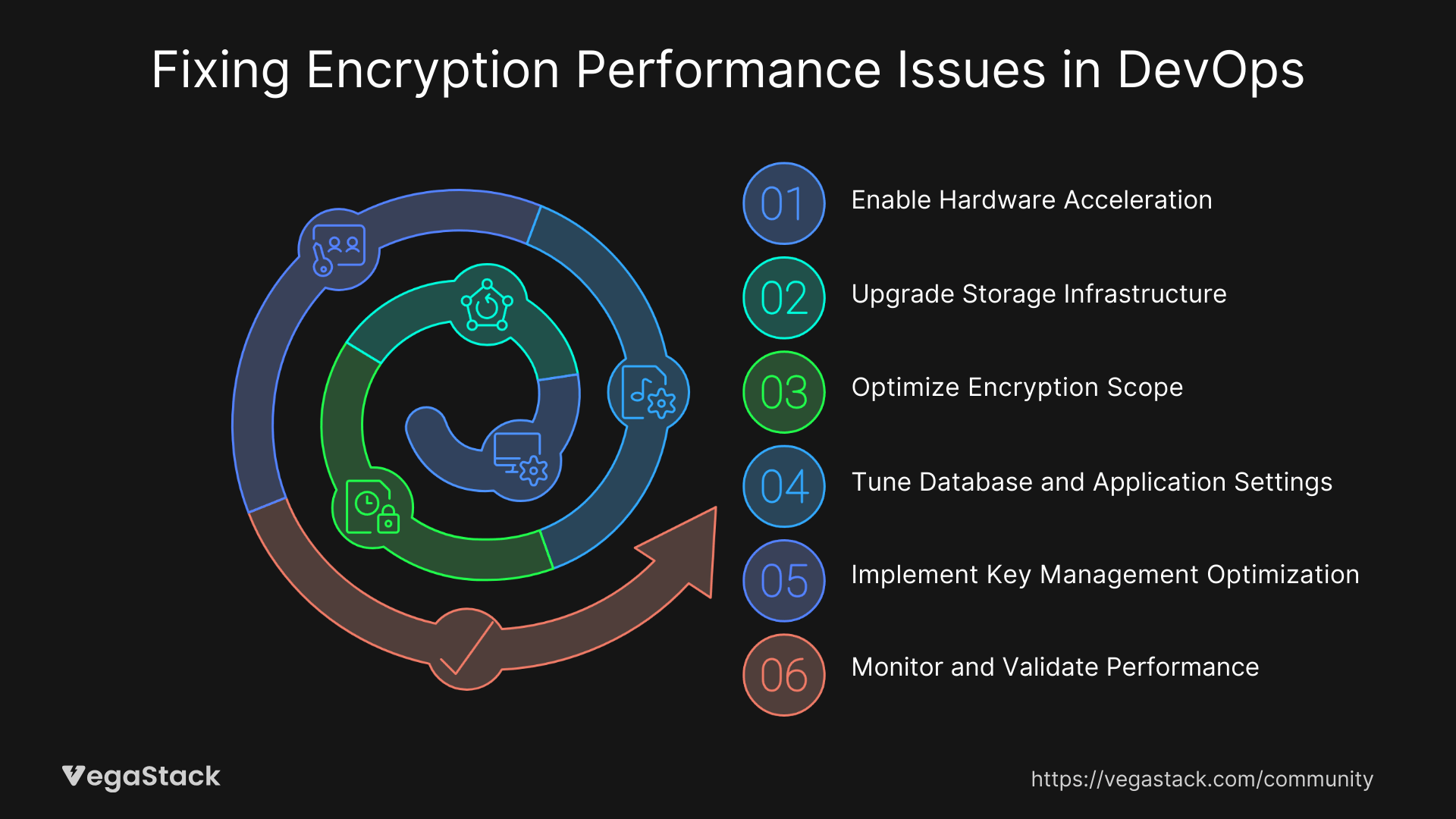
Step 1: Enable Hardware Acceleration
Verify AES-NI is enabled in your system BIOS. Many servers ship with hardware encryption disabled by default. Access your BIOS during boot and locate the Advanced CPU Configuration section. Enable AES-NI and any other cryptographic acceleration features.
For virtualized environments, ensure your hypervisor passes through AES-NI instructions to guest systems. VMware, Hyper-V, and KVM all support this, but require specific configuration settings.
Step 2: Upgrade Storage Infrastructure
Migrate from traditional SATA SSDs to NVMe drives. NVMe provides significantly higher IOPS and lower latency, offsetting encryption overhead. Cloud providers offer NVMe-backed storage tiers that deliver 3-5x better performance for encrypted workloads.
Configure your storage stack to use hardware-accelerated encryption when available. Many enterprise NVMe drives include dedicated encryption controllers that handle cryptographic operations without CPU involvement.
Step 3: Optimize Encryption Scope
Implement column-level or field-level encryption instead of full-disk encryption where possible. Database systems like PostgreSQL and MySQL support transparent data encryption (TDE) that targets specific sensitive fields.
Review your data classification to identify which information actually requires encryption. Personal identifiable information (PII) and payment data need protection, but log files and temporary data often don't.
Step 4: Tune Database and Application Settings
Adjust buffer pool sizes to accommodate encryption overhead. Increase your database buffer cache by 20-30% to reduce disk I/O operations. More data cached in memory means fewer encryption/decryption cycles.
Configure parallel processing for encrypted operations. Most database systems support multi-threaded encryption that distributes cryptographic work across available CPU cores.
Step 5: Implement Key Management Optimization
Deploy hardware security modules (HSMs) for key management operations. HSMs offload cryptographic operations from your primary servers and provide dedicated hardware for key generation and management.
Configure key caching to reduce lookup latency. Many encryption systems support local key caching that eliminates network round-trips for frequently accessed keys.
Step 6: Monitor and Validate Performance
Set up comprehensive monitoring for encryption-specific metrics. Track CPU usage, disk latency, and encryption operation timing. Establish alerts for performance degradation before it impacts users.
Run load testing with your new configuration to validate performance improvements. Use realistic workloads that mirror your production traffic patterns.
Alternative Methods if Primary Solution Fails
If hardware acceleration isn't available, consider dedicated encryption appliances. Network-attached encryption devices can offload cryptographic operations from your primary servers, though they add network latency.
Resource scaling provides temporary relief when hardware optimization isn't possible. Adding CPU cores and increasing memory allocation helps, but doesn't solve the fundamental efficiency problem.
For legacy systems, implement time-based encryption strategies. Schedule encryption-intensive operations during off-peak hours when system resources are more available.
Troubleshooting Common Issues
Expected Challenges During Implementation
Permission errors frequently occur when configuring hardware acceleration. BIOS changes require physical access or remote management interfaces. Cloud environments may need specific instance types or enhanced networking features to access hardware acceleration.
Key management system integration can be complex. HSM connectivity requires network configuration, certificate management, and application integration. Plan for 1-2 days of configuration and testing time.
Error Messages and Their Solutions
"AES-NI not available" errors indicate hardware acceleration isn't enabled or supported. Check your processor specifications and BIOS settings. Virtualized environments may need hypervisor configuration changes.
Database connection errors after encryption changes often indicate buffer size or timeout configuration issues. Increase connection timeouts and database buffer allocations to accommodate encryption overhead.
Storage mounting failures can occur when enabling hardware encryption features. Verify your kernel supports the encryption methods and that all required modules are loaded.
Edge Cases and Special Scenarios
High-availability database clusters require careful key management coordination. Ensure all cluster nodes have consistent encryption configuration and key access. Test failover scenarios thoroughly.
Legacy applications may not support modern encryption methods. Consider implementing encryption at the storage layer instead of the application layer for older systems.
Multi-tenant environments need encryption isolation between customers. Implement separate key management domains and verify encryption boundaries prevent cross-tenant data access.
When to Escalate or Seek Additional Help
If performance improvements are less than 30% after hardware acceleration, investigate other system bottlenecks. Network latency, storage configuration, or application design issues may be contributing factors.
Contact vendor support when encountering hardware-specific encryption issues. Database vendors provide specialized guidance for encryption performance tuning in their products.
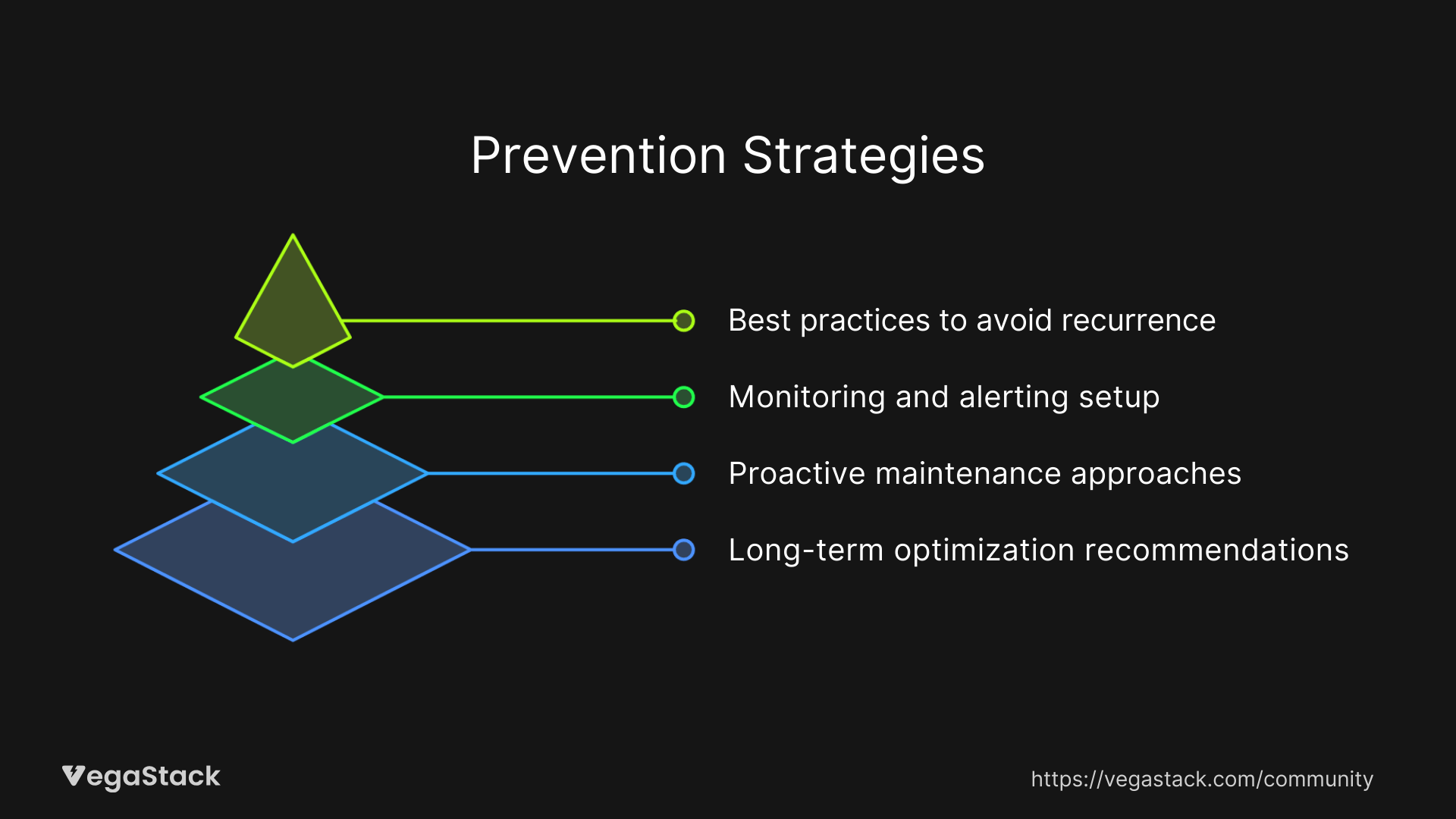
Prevention Strategies
Best Practices to Avoid Recurrence
Test encryption performance in staging environments before production deployment. Use realistic data volumes and traffic patterns to identify performance impacts early. Most teams underestimate encryption overhead by 50% or more.
Implement encryption gradually rather than all at once. Start with less critical systems to validate your configuration and performance tuning approach. Learn from small-scale implementations before tackling mission-critical databases.
Monitoring and Alerting Setup
Configure alerts for CPU utilization above 80% sustained for more than 5 minutes. Encryption workloads can spike CPU usage quickly during peak traffic periods.
Monitor disk queue depth and storage latency metrics. Set thresholds at 150% of your baseline unencrypted performance. This provides early warning of encryption-related performance degradation.
Track encryption operation timing separately from general database metrics. Many monitoring systems support custom metrics for cryptographic operation latency.
Proactive Maintenance Approaches
Schedule regular performance reviews to assess encryption overhead as your system scales. What works for 1000 users may not work for 10,000 users.
Plan hardware refresh cycles to maintain encryption acceleration capabilities. Newer processors provide better performance for cryptographic operations.
Keep encryption software updated to benefit from performance optimizations. Database vendors regularly release improvements for encryption handling.
Long-term Optimization Recommendations
Architect new systems with encryption performance in mind. Choose hardware with dedicated encryption capabilities and design application data flows to minimize cryptographic operations.
Implement automated key rotation with performance considerations. Frequent key changes can impact system performance if not properly managed.
Consider dedicated encryption infrastructure for high-volume environments. Specialized hardware and software solutions provide better performance than general-purpose systems.
Related Issues & Extended Solutions
Connected Problems That Might Arise
Backup performance often degrades significantly with encryption enabled. Encrypted backups require additional processing time and may need separate optimization strategies.
Replication lag increases in database clusters using encryption. Network transfer of encrypted data and decryption on replica systems adds latency to synchronization processes.
Advanced Optimization Techniques
Implement encryption at the most efficient layer for your workload. File system encryption, database encryption, and application encryption each have different performance characteristics.
Use compression before encryption to reduce data volume. Compressed data requires less encryption processing, though this adds CPU overhead for compression operations.
Integration with Broader Systems
Coordinate encryption performance optimization with load balancing strategies. Distribute encrypted workloads across multiple systems to prevent bottlenecks.
Integrate encryption monitoring with your existing observability stack. Correlate encryption performance metrics with application performance indicators.
Performance Improvement Opportunities
Evaluate newer encryption algorithms that offer better performance characteristics. ChaCha20 provides good performance on systems without AES hardware acceleration.
Consider selective encryption strategies based on data sensitivity classification. Not all data requires the same level of cryptographic protection.
Conclusion & Next Steps
Encryption performance issues are solvable with the right approach. Hardware acceleration, storage optimization, and proper configuration eliminate most performance overhead. The key is systematic implementation and thorough testing.
Start with hardware acceleration verification, it's the biggest performance win. Then optimize your storage infrastructure and fine-tune encryption scope. Most teams see 50%+ performance improvements within 2-3 days of implementation.
Monitor your results continuously and adjust configurations as your system scales. Encryption performance optimization is an ongoing process, not a one-time fix.